How to Update Your IMDb Profile: 10 Tips for 2026
While it’s best to have an official website, and younger audiences might search for you first on social media, the reality is that most industry personnel will research you on IMDb—verified by my LA clients.
On top of that, if you’re not keeping your website up-to-date, IMDb will often rank above your website on Google search results.
Still, most artists let IMDb’s algorithm decide how they show up — an old headshot, outdated bio, and incomplete credits.
Here's the good news: taking control is much easier than it seems.
Think of this blog as a step-by-step recipe. Gather your ingredients (resume, bio, videos, photos), follow the steps below, and you'll have a polished, professional page in an afternoon!
FIRST: A PREFACE
Understanding the difference between IMDb & IMDbPro
There are two versions of IMDb, and knowing the difference will save you time and money.

IMDb is the FREE, public site for general audiences.
IMDb is the world's most popular source for movie, TV, and celebrity information. Anyone can browse it, and anyone can suggest edits.
IMDbPro is the industry insider platform.
IMDbPro is where members can find private contact information, track in-development projects, watch STARmeter and MOVIEmeter rankings, and — most importantly for you — control how their IMDb page looks.
Bottom line: If you’re looking to curate your photos, videos, bio, and other personal details, IMDbPro is the place to go!
SECOND: THE COSTS
What's free vs. paid on IMDb
This is the part most guides get wrong, so here's the clean version as of 2026.
IMDb is FREE — You can submit edits.
If you’re only looking to add or correct a few credits, you can start here.
IMDbPro Basic is FREE — You can claim your page.
You can take authority and ownership of your page, add credits, and manage personal details… but that’s about it.
IMDbPro Premium is PAID — You can curate your page.
With a premium subscription, you unlock everything that makes your page look the professional you are: your 2026 headshot, demo reels and clips, featured production stills, featured credits, industry contact database, and more.
As of August 2026, you can get started on a 30-day free trial, then pay $19.99/month or $149.99/year (which averages to about $12.50/month — roughly 37% off). SAG-AFTRA and DGA members (among other guilds and unions) can claim a 30% discount. Details here.
Need coverage for a roster or talent or want to split the bill with friends? There's a group plan at $79.99/month for up to five members ($15.99/month per person). For the most up-to-date pricing options on IMDbPro, visit their official website here.
My two cents: an IMDbPro Premium Subscription pays for itself the first time it lands you a job. Subscribe annually to keep your photos, videos, and biography up-to-date and working for you 24/7/365.
10 Tips to an IMDb Page that Shines
You can do all of this from your IMDbPro page on a desktop computer or download the IMDbPro mobile app for edits on the go!
1. Claim your page.
Everything starts here. Claiming your page is how IMDb knows YOU are the one calling the shots — not fans or casual contributors.
Log in, click the icon next to your name (top-right), and select “Your page.”
If a page already exists, you'll claim it.
If a page doesn’t exist, you'll create one. Choose the category that describes you best and your primary profession, then click confirm. Requests are typically reviewed within 24 hours.
IMDb Help Center: Claim Your Page
2. Set your primary photo.
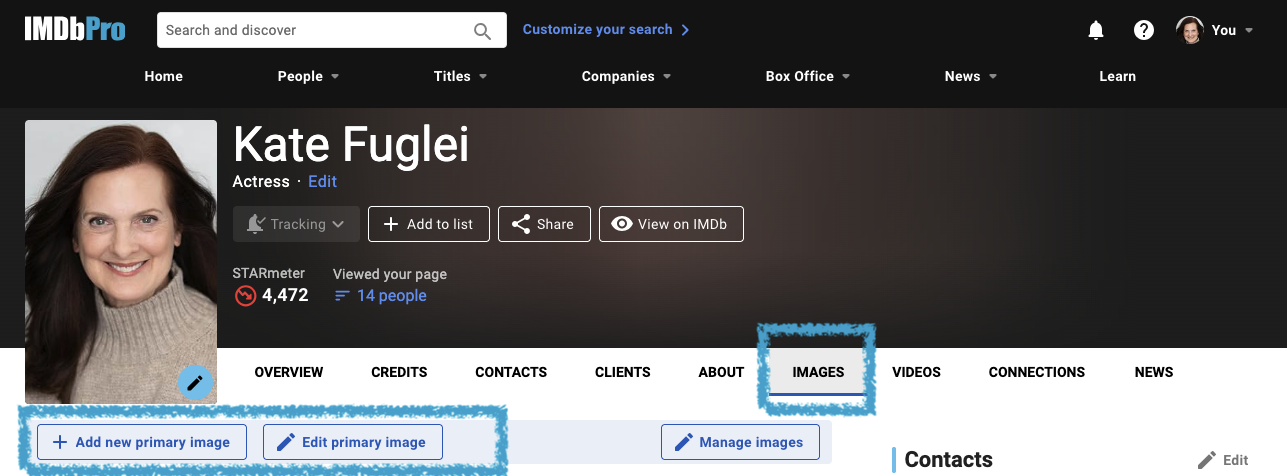
Go to the “Images” tab, click “Add New Primary Image” or “Edit Primary Image.” Choose your most universal, current headshot — the one that looks like you when you walk in the room. Crop, zoom, or rotate the photo until it's right. Click “Save” and allow up to 20 minutes after uploading before the customization tools become available.
IMDb Help Center: How do I set my primary image?
3. Curate your six featured images.
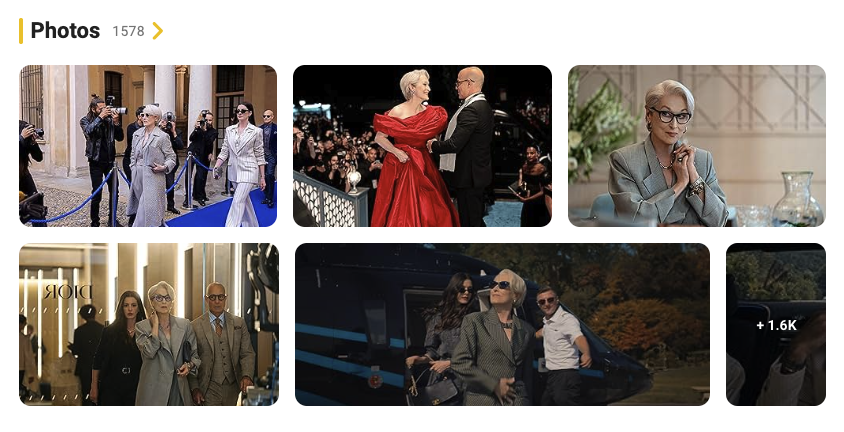
Your featured images are the supporting shots displayed alongside your primary photo — across IMDb, IMDbPro, and Prime Video. To look like a true pro (Meryl Streep), make sure you lead with production stills (or clean screen grabs from your clips) rather than headshots and portraits.
From the IMDbPro, go to the “Images” tab and then “Manage images.” You can upload hundreds of images, but drag your best images into the featured slots — think about showcasing your best roles and range.
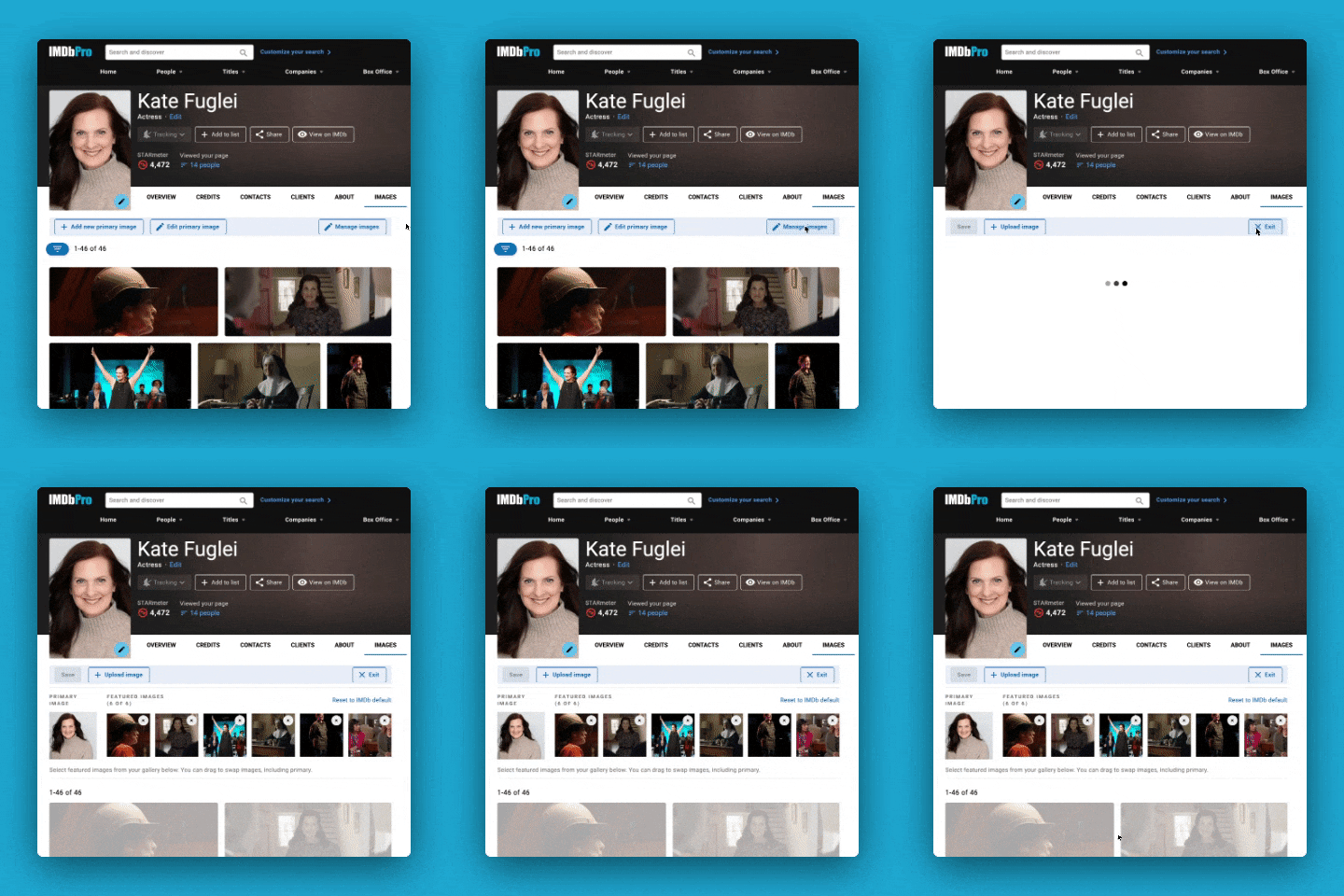
IMDb Help Center: How do I update my featured images?
4. Update credits & choose “Known For” titles.
When it comes time to updating your credits, I like to joke that IMDb feels a bit like the 1990s and the Microsoft/AOL era. Still, it’s pretty intuitive once you get the hang of it and most edits or “contributions” are often accepted pretty immediately. Here are some resources:
Help Center: How to Add Cast and Crew Credits on IMDb
Help Center: How to Add Cast and Crew Credits on IMDbPro
For your “Known For” titles, IMDb’s algorithm picks defaults for you, but you can override this and customize up to four featured credits. Select the titles YOU actually want people to associate with your name — your most relevant, most recent, or most impressive work.
Note: You can update credits on the FREE versions of IMDb, but customizing “Known For” titles requires IMDbPro Premium, a claimed page, and at least one verified credit. If you ever cancel, your selections revert to IMDb's automatic picks (and return if you renew within 12 months).
IMDb Help Center: What are "Known For" credits and where are they displayed?
5. Set your displayed professions.
Perhaps you’re a multi-hyphenate and/or expanding into new areas? You can feature up to three professions (such as Writer • Director • Producer) on your page. Choose the ones you want to lead with and want to be hired for.
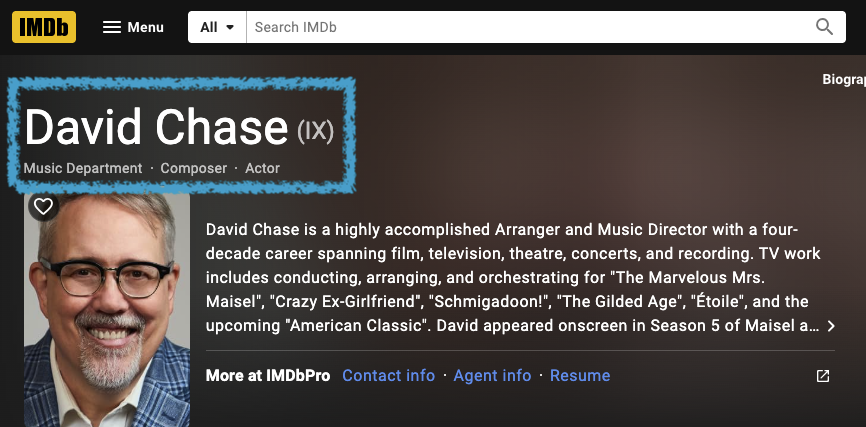
Edit these from “Your professions” control, or the pencil icon on your profile.
IMDb Help Center: How to Set and Manage Your Professions on IMDbPro
6. Add your reps or contact information.
Make sure your agent or manager's contact information is current and visible. This is how opportunities reach you.
IMDb Help Center: How do I add and edit my direct contact information?
Talent Reps: claiming your own IMDb page lets you keep your roster and contact details accurate, too.
IMDb Help Center: Manage your Client List with Shared Editing
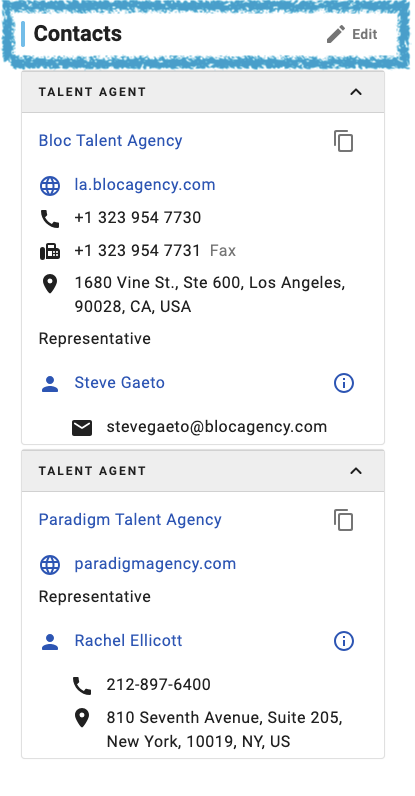
7. Add your bio and personal details.
A strong bio does quiet work while you sleep. Here’s our guide to writing your bios.
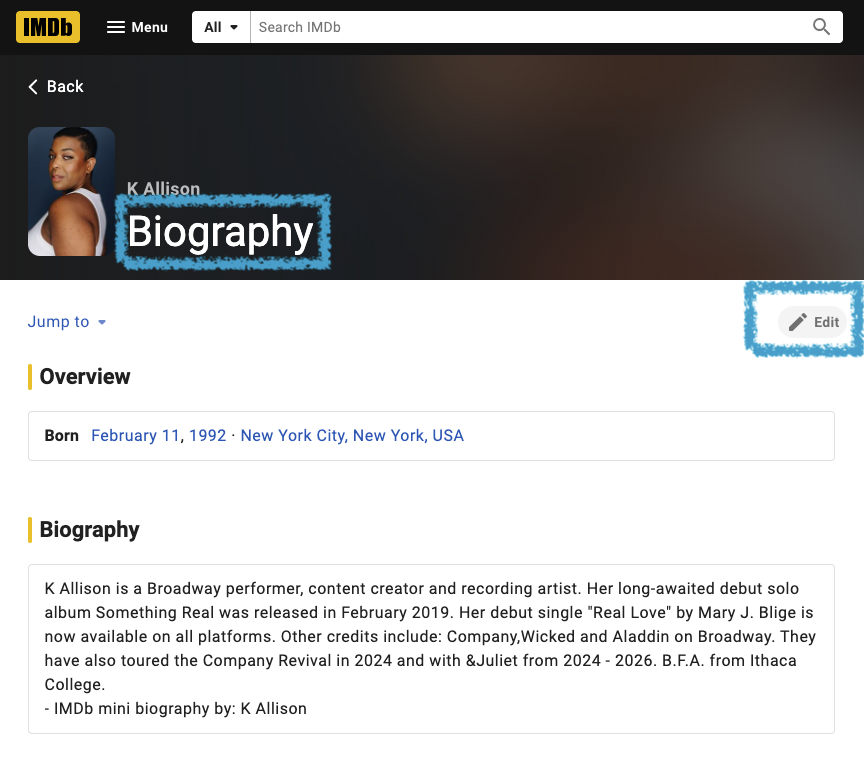
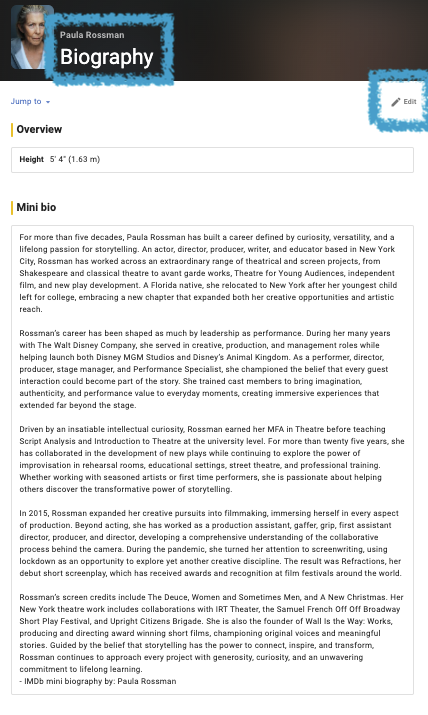
Pro Tip: IMDb bios support light formatting. Use [b]bold[/b] and [i]italics[/i], or link a title with [link=tt0076759] — a simple way to make your bio scan cleanly.
Add your short or full biography, then make sure to link your official website so professionals can go deeper! From here you can also set a few well-chosen pieces of trivia.
IMDb Help Center: How can I delete or update my biography?
8. Complete your performer profile.
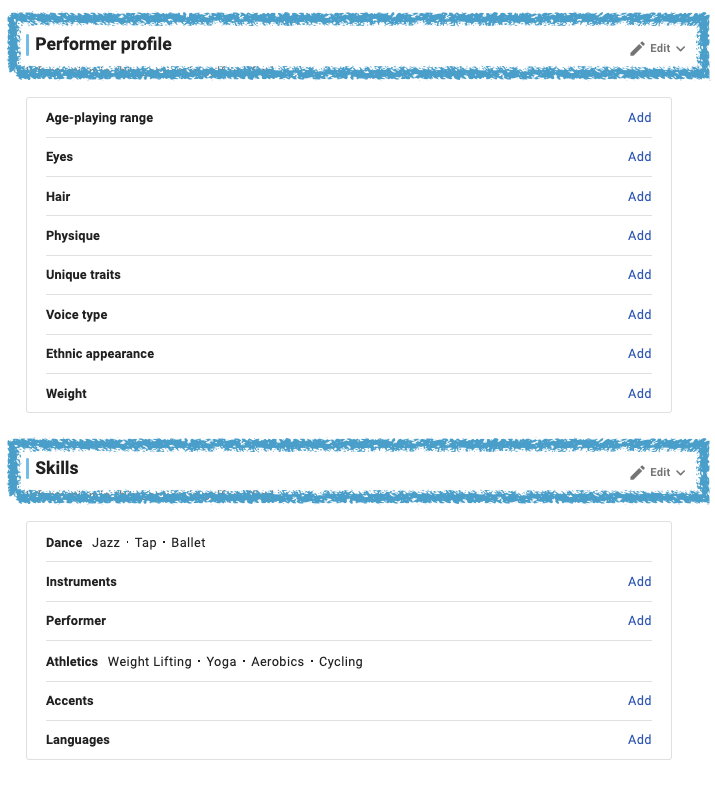
This is where Premium earns its keep for actors. Add your performer skills, athletic skills, accents, spoken languages, instruments, dance, voice type, and unique traits.
Every field you fill in is one more way a casting director can find you in search via age-playing range, physical details (height, eyes, hair), special skills, etc.
IMDb Help Center: Manage your performer profile & credentials
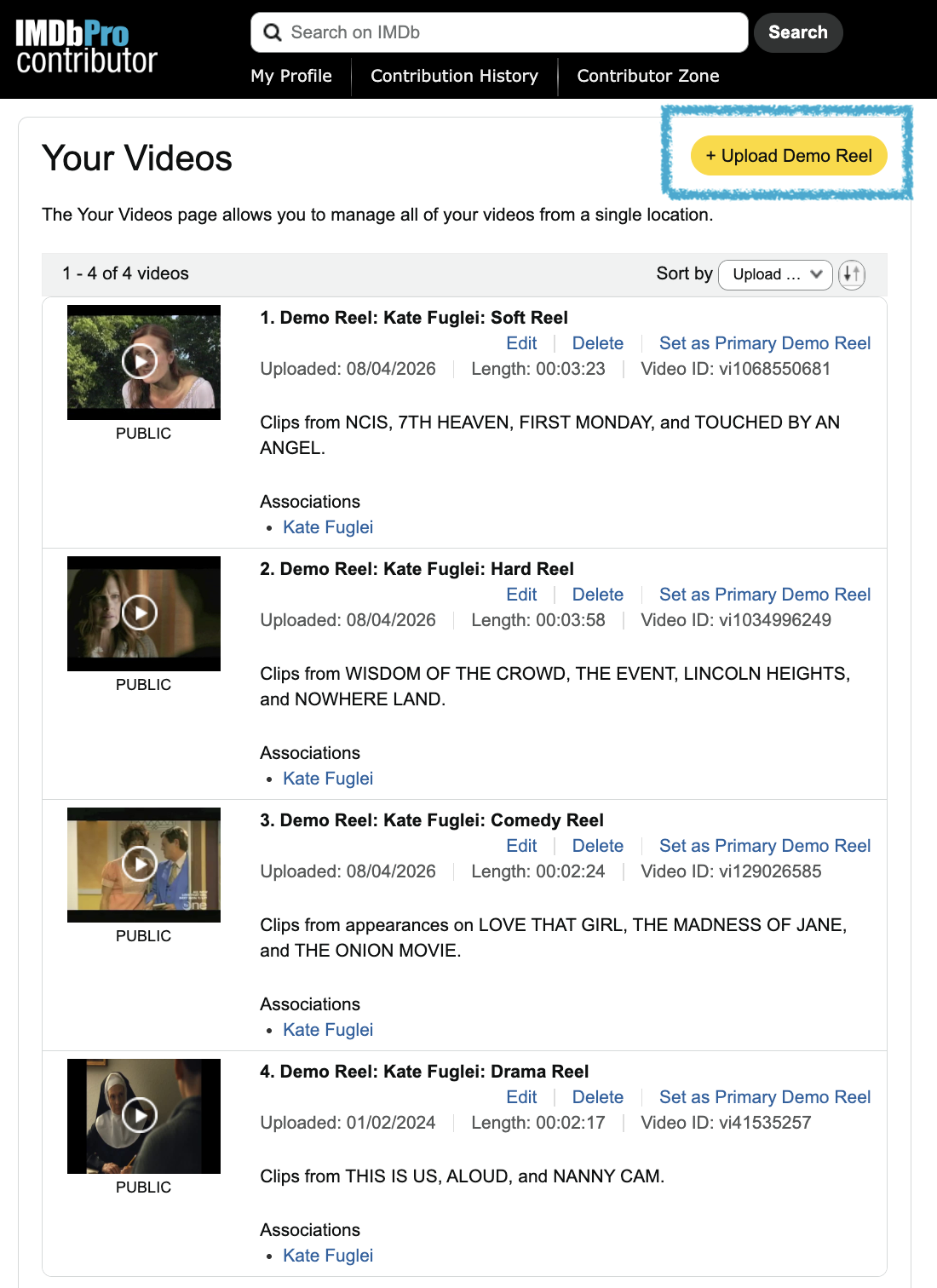
9. Add your reels & clips.
Upload your demo reel and set it as your primary video. It will be featured prominently on your page. Then expand your videos by adding individual clips (or “Scene from…”) so professionals and fans can watch the exact work that's relevant to them. Video is the closest thing to being in the room — use it.
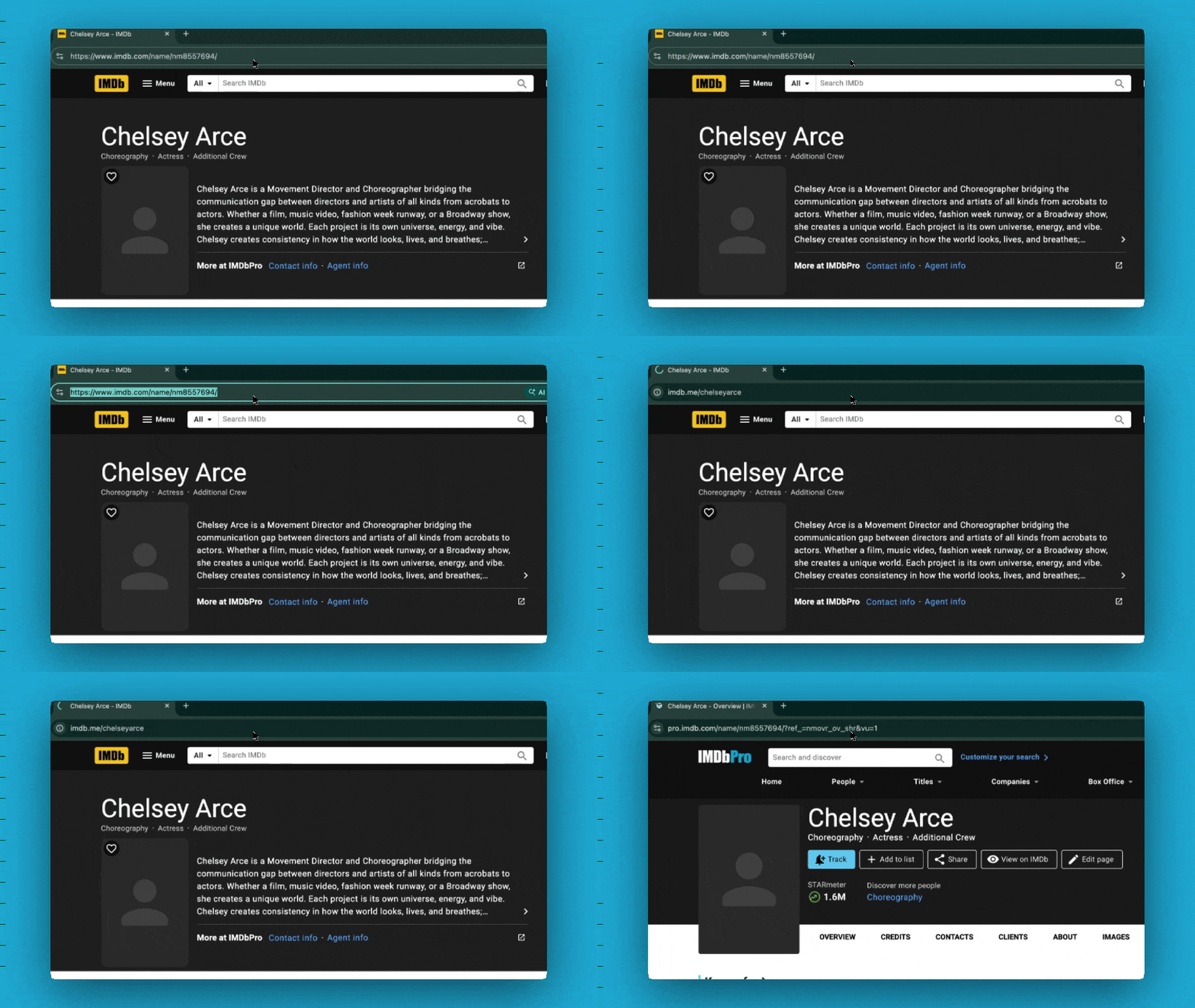
Turn a string of random characters into a clean, memorable link: IMDb.me/[your-name].
Go to “Edit your page,” then scroll for the button that says “Vanity URL.” Enter your preferred alias, keeping it the same as your @SocialMediaHandle, and click “Save.” This link will direct professionals to your IMDbPro page and fans to your IMDb page.
IMDb Help Center: Setting your vanity URL

10-Step IMDb Checklist
Here’s a recap of the steps to claim, curate, and complete your IMDb page for 2026:
Claim your page.
Set your primary photo.
Curate your featured images.
Update credits and “Known For” titles.
Set your displayed professions.
Add your reps or contact information.
Add your bio and personal details.
Complete your performer profile.
Add your reels & clips.
Claim your vanity URL.
Now your IMDb page reflects who you are and all you’ve done — you’re not relying on an algorithm or your audience to update it for you.
If you’re interested in designing your complete digital presence, from your Google results down to your mobile email signature, this is exactly what we offer!